
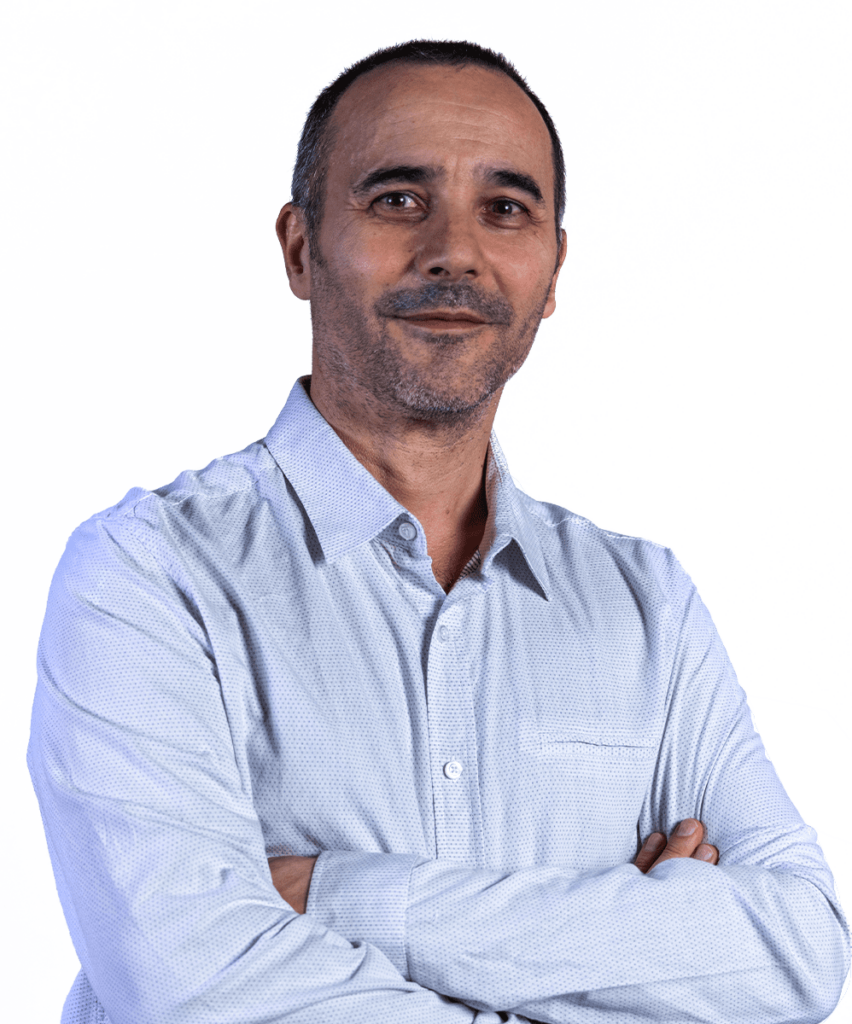
Luca
Frenguelli
Luca Frenguelli was born in Rome in 1967. After attending a secondary school specialising in the arts, he graduated from the Academy of Fine Arts in Rome with a degree in Decorative Arts. During his years of academic study, he developed a keen interest in graphic design and new forms of digital representation, a passion that became his profession in the mid-1990s. From 1997 to 1999, he worked with Argonauti srl and Ergon Sistemi srl on the graphic design of multimedia products for training purposes. In 1998, he worked for Mondadori S.P.A. on the digital processing of images for the photography book “C’era una volta un cavaliere in bianco e nero”. In 2000, he co-founded Moventia srl (2000–2014) with other professionals in the sector, and from 2002 onwards he was also a partner in blumeme srl (2002–2014). He served as creative director and technical manager for both companies, overseeing traditional and multimedia graphic design as well as products for offline and online training. Among his clients were Fornari/Fornarina S.P.A, ANCE Veneto, Fiera di Bologna, Palazzo delle Esposizioni, Formedil, Cresme, Antoci Diamond Investment, strategie & comunicazione, Gruppo Donnamed, De Lorenzo Formazione, Province of Rome, Lazio Region, Ministry of Economic Development, and the European Union. In 2010, he designed and developed his own C.M.S (Content Management System) for users of bellezzadellarte.it. In the same year, he collaborated with ISTAT, the Italian National Institute of Statistics, on the design of the dynamic “banner header” feature and the graphic design of the website. His interest in information technology developed during his professional career, combined with his passion for digital graphics, led him also to work in “generative graphics”. He has been, and continues to be, very active and passionate in his teaching career; he has worked for various vocational training institutions and is currently a lecturer at the Academy of Fine Arts in Rome, teaching courses in Computer Graphics, Digital Image Processing, Information Technology for Graphics and, more recently, Fundamentals of Information Technology.
Three-year course – summary programme
Introduction: The three-year Computer Graphics course is structured in two teaching modules. The first module focuses on technical skills, using Adobe Illustrator software, whilst the second module is workshop-based, where students will carry out graphic design projects under the supervision of the lecturer.
Module 1: Fundamentals of Adobe Illustrator:
- Interface and Customisation: Exploring the workspace, customisation, setting up drawing boards and navigating within the document.
- Design Tools: Understanding vector paths, advanced properties, and tools such as the Pen, Shaper, Pencil, etc.
- Object Management: Organisation using layers, grouping, moving, aligning and using clipping masks.
- Images and Transformations: Inserting images, importing external elements, transforming vector objects and modelling techniques.
- Colours, Gradients and Effects: Colouring methods, use of patterns, gradients and advanced transparency and blending techniques.
- Text: Importing, creating, formatting and styling text, including font and paragraph styles.
- Advanced Effects and Printing: Working with effects such as shadows and glow, enhancing Illustrator with scripts, and methods for printing and sharing online.
Module 2: Graphic Design Workshop:
- Project Development: Students will develop graphic materials such as logos, brochures, posters and illustrations. Throughout this process, they will be guided through every stage of the project, from conception to completion, addressing both technical and creative aspects.
- Review and Feedback: A fundamental part of the process is the review. Students will receive constructive feedback on their work to ensure they meet professional standards.
- Personal Projects: Students will have the opportunity to undertake a personal project, drawing on external experiences or collaborations, thereby complementing formal teaching with a practical and real-world application of the skills they have acquired.
Bibliography
The teaching materials, which include texts, videos and exercises that I have created myself, will be available via the web platform. Students interested in further exploring these topics may consult standard technical manuals. Due to the inherent obsolescence of technical manuals, an updated list will be provided at a later date.
Three-year course
The course aims to equip students with the skills needed to work with digital images in a creative and professional manner, using Adobe Photoshop, the leading software in the field of image processing.
Module 1: Theoretical foundations and technical skills in Photoshop.
To begin with, students will receive theoretical training on the basic principles of digital graphics. After that, the students will be immersed in the technical world of Adobe Photoshop. Students will have the opportunity to gain direct practical experience, ensuring a deep understanding of the software’s potential.
Module 2:
Creation of Practical Projects. Building on the skills acquired in the first module, students will focus on creating practical projects, such as artistic photomontages, photo retouching and restoration, and designs for advertising graphics. From the development of the concept to its implementation, students will be continuously supported and guided by the lecturer, with a focus on ensuring their work is fully prepared for the final exam. Through these stages, students will learn not only to master the art and techniques of Photoshop, but also to transform their creative vision into tangible, professional works.
Module 1: Theoretical foundations and technical skills in Photoshop.
Introduction to the Photoshop workspace: The aim of this section is to familiarise you with the interface and basic features of Photoshop.
- • Interface and Options panel
- Customising the workspace
- Navigating between open documents
Advanced Selection Techniques: A good selection is essential for effective editing. We explore the tools and techniques for making precise selections.
- Technical characteristics of a selection.
- Geometric selections (Lasso, Rectangular, Elliptical)
- Selections based on colour values (Magic Wand, Quick Selection.
- Editing selections with “Selection and Mask” and “Quick Mask”)
- Selections using tools and AI algorithms.
- Transformations of selections (Alter, expand, contract, round, blur)
- Saving and loading selections, Boolean operations with selections.
Layers: One of the most distinctive features of Photoshop is the use of layers. They can be compared to sheets of transparent acetate superimposed on an image. Each sheet can contain different elements, such as text, shapes or images, which can be edited and transformed in many ways.
- What are Levels, and what are their characteristics?
- Creating, grouping and managing layers.
- Opacity masks and vector masks
- Clipping masks
- Use and management of “advanced” Levels
- Lock options and “Layer Styles”
Photo Editing and Transformation: From correcting small details to major editing, we learn how to transform and improve our images.
- Guidelines for professional photo editing.
- Photo editing tools (Healing Brush, Clone Stamp, Patch, Lens Distortion)
- AI-based tools (Fill, Scale and Move based on content)
- Basic transformations, Puppet alteration, Perspective alteration.
- Plastic alterations with the “Liquify” filter and “Alter” transformation
- Photoshop filters (with a particular focus on Blurring and Contrast techniques)
Vector Drawing: Although Photoshop is not software specifically designed for vector graphics, it offers a range of tools for creating and managing paths, which are very useful for defining selection areas or for creating and editing vector shapes.
- Use of the Pen tool and the Curvature tool
- Vector masks, “shape” layers and Boolean operations on vector shapes.
- Transforming a Selection into a Path and a Path into a Selection.
Colour Adjustments: Colour plays a crucial role in the world of design and photography. We will find out how Photoshop can help us achieve the desired result.
- Colour management in Photoshop
- The Channels Panel (in the RGB space)
- Adjustment layers (… Vibrance, Hue and Saturation, Colour Balance, etc.) • Use of gradients for colour corrections.
- Blending methods (… Multiply, Overlay, Hue, Saturation, Colour, Luminosity, etc.)
- Evaluation and adjustment of tonal values with the Histogram and Adjustment Curves.
- Adjusting Light and Shadow
Artificial Intelligence for image creation and editing: Artificial intelligence, integrated into tools such as Photoshop, has revolutionised image editing. Thanks to AI, complex operations become instantaneous, and image creation reaches previously unimaginable levels.
- Artificial intelligence, overview and considerations on the subject.
- The new features (both beta and non-beta) for creating and editing AI-generated images
Module 2: Projects and practical work
Beyond theory, it is essential to put what you learn be put into practice. In the period leading up to the final exams, and under the guidance of their lecturer, students will have the opportunity to work on real-world projects.
- Photomontages
- Photo retouching
- Designs for advertising graphics
Bibliography
The teaching materials, which include texts, videos and exercises that I have created myself, will be available via the web platform. Students interested in further exploring these topics may consult standard technical manuals. Due to the inherent obsolescence of technical manuals, an updated list will be provided at a later date.
Three-year course
The Fundamentals of Information Technology course aims to provide students with the basic tools and skills needed to embark on a journey into the world of generative graphics. The digital tool we will be using for this fascinating journey is Processing, a programming language already used by designers and artists all over the world.
Working with generative graphics is not just a way of learning the basics of “creative” programming; most importantly, it is an alternative and innovative way of thinking about graphics. Generative graphics allow us to explore a new approach to design; they immerse us in an abstract space made up of numbers, code and logical reasoning which, whilst leading to random outcomes, require us to reflect carefully on composition, language and all those aspects that have always been central to the visual arts.
The artist/programmer devises the graphic concept and develops the relevant algorithms so that the code they write and execute can “generate” the finished work automatically, producing surprising, coherent results that are always unique
Objectives and aims
Students will be able to create their own generative, static and animated graphics works. They will be able to design and create an interactive generative artwork. As they work on their assigned topics, students will be guided through the various stages of development. At the same time, work will also be reviewed.
Teaching programme summary
Course introduction – Basic drawing functions
The Processing programming language offers a range of functions for drawing simple geometric shapes or graphic elements such as rectangles, ellipses, lines, points, polylines, etc.
At the start of the course, the use of these shapes will be accompanied by an examination of their properties, such as colour, transparency and line thickness.
Variables and their usage
It is essential to be able to store and manage the data processed within a programme. Variables and their use in Processing will be explained.
Basic arithmetic – System variables – RGB colour mode, HSB colour mode – The colour variable
The Iterative control structure of the for loop and the while loop
The lesson on the for(){} loop will be one of the most important and challenging lessons in the entire course. Understanding how it works and assessing its potential will be essential.
Graphic art and randomness – The random() function
One of the fundamental topics of the course concerns the importance of the random factor in creative processes, both in the analogue and digital fields. Specifically in “generative graphics”, the use of the random() function plays a primary … fundamental role.
Conditional instructions – The if(){} flow control
Generative graphics cannot be the result of “random” results alone, but must also be the result of considered choices and aesthetic evaluations. The use of conditional instructions allows random results to be steered with greater consistency.
Making a programme make decisions – Boolean expressions and variables – Comparison operators – AND and OR logical operators – Module Operator %
Dynamic programming – Animation and interactivity
Processing allows the creation of animated and interactive generative graphics.
The setup(){} and draw(){} functions – Functions and variables for interactive use of the mouse and keyboard
– Frame management – Creation of interactive graphic brushes.
The nested for() loop – Graphic matrices and patterns
The use of the for loop is greatly expanded and enhanced by nesting it in turn in another for(){} loop. Enhancing IT tools also broadens the “range” of expressive tools.
The nested for loop – Graphic patterns and matrices – Generative textures
Functions for drawing curves and arcs
Processing allows you to create arcs and curves through the use of simple functions such as arc(); curve(); or bezier();
Time management in Processing
It can be really useful and stimulating to design and develop programmes for generative graphics using metronomic time data (hours, minutes, seconds and milliseconds).
Animation
Motion interpolation, rotation and collision of graphic elements, acceleration and constant speed.
The map() function;
Perlin noise (one-dimensional and two-dimensional)
One of the most important functions used in computer graphics is the Perlin noise function, created in 1983 by the programmer Ken Perlin for the Disney film TRON. The noise() function is generally used for the creation of procedural textures or, more simply, for the output of “harmonic” random values.
Colour sampling, use and creative processing of images
The Processing programming language allows the acquisition and processing of audiovisual material or simply photographic material. The methods and tools for the creative processing of photographic images will be explained. In this context, the phase of sampling and storing the colour values of an image will be essential.
Text management and formatting
Text as a constituent element of a graphic product is well known but not taken for granted. The typeface will be used as a separate element/module or related to the imported images
One-dimensional arrays and two-dimensional arrays
The use of arrays allows the management of a large number of variables of the same type and at the same time their use will allow access to more high-performance creative solutions.
Creation and use of functions
In addition to the functions inherent to the language, there are also functions defined and written by the programmer to make the programme perform particular operations. The student will learn to write their own void, float and int functions
Saving in raster and vector format
Since the monitor is the “natural” output of Processing, it will be important to dedicate a small part of the programme to the procedures for saving the graphics in raster and vector formats. With regard to files in raster format, particular attention will be paid to high-resolution printing.
Object-Oriented Programming: Classes and Instances (if we have time)
The concept of Object-Oriented Programming (OOP) is a fundamental pillar in modern programming. With Processing, this concept comes to life and becomes essential in the creation of more structured and complex projects.
Classes: These define a kind of “template” from which specific objects can be derived. You can think of a class as a design for a house, which sets out how it should look and function without actually building it.
Instances: These are the concrete realisations of a class, as if real houses were built based on the design provided by the class. Each object is a unique entity, but it follows the model provided by its class.
Recommended reading
The most authoritative texts on generative graphics and programming with Processing are in English.
Students will have access to teaching materials, handouts, files and videos specially prepared by the lecturer and available online on the web platform
Getting Started with Processing, Second Edition
Casey Reas and Ben Fry.
Generative Design
Hartmut Bohnacker, Benedikt Gross, Julia Laub, and Claudius Lazzeroni.