
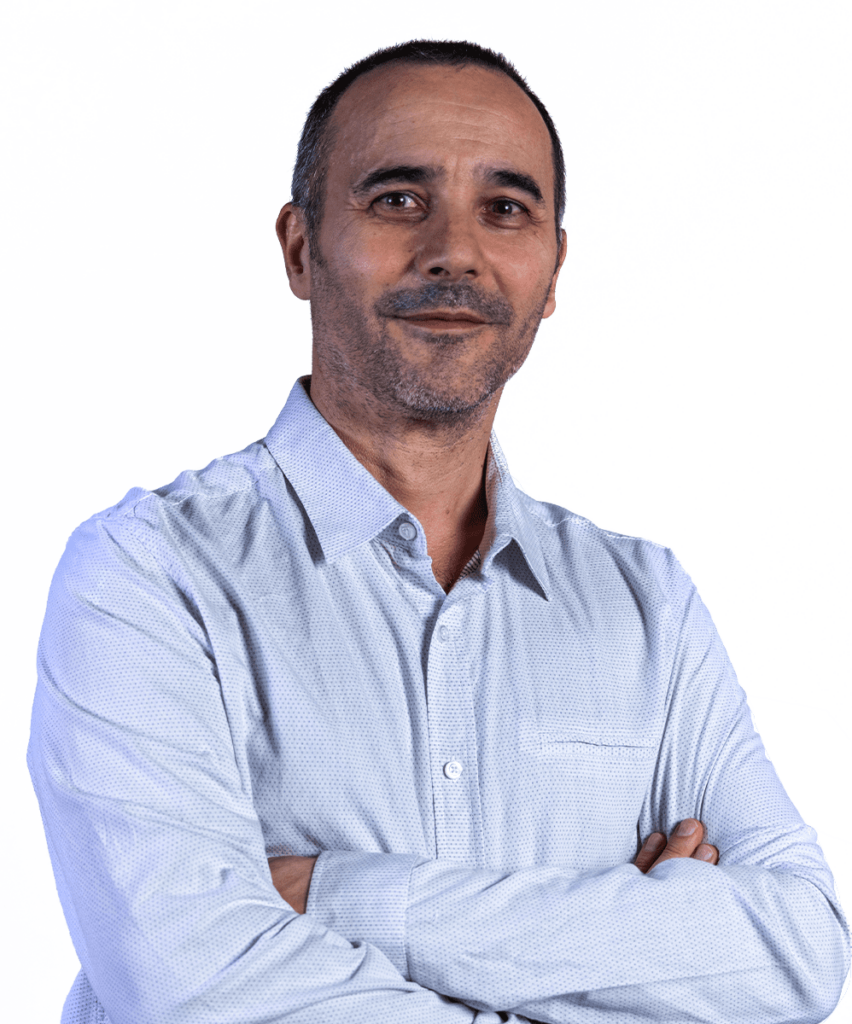
Luca
Frenguelli
Luca Frenguelli was born in Rome in 1967. After attending an arts-focused secondary school, he obtained a diploma in Decoration from the Academy of Fine Arts in Rome. During his years of academic study, he developed a strong passion for graphic design and new digital representation techniques, a passion that has been his profession since the mid-1990s. From 1997 to 1999, he worked with Argonauti Srl and Ergon Sistemi Srl on the graphic design of multimedia products for training purposes. In 1998, he worked for Mondadori S.P.A., digitally processing the images for the photo book ‘C’era una volta un cavaliere in bianco e nero’ (‘Once upon a time there was a knight in black and white’). In 2000, together with other professionals in the sector, he founded the company Moventia Srl (2000/2014), and since 2002, he has also been a partner in Blumeme Srl (2002/2014). At both companies, he serves as creative director and technical manager, working on traditional and multimedia graphic design as well as on products for offline and online training. His clients include Fornari/Fornarina S.P.A., ANCE Veneto, Fiera di Bologna, Palazzo delle Esposizioni, Formedil, Cresme, Antoci Diamond Investment, Strategie & Comunicazione, Donnamed Group, De Lorenzo Formazione, the Province of Rome, the Lazio Region, the Italian Ministry of Economic Development and the European Community. In 2010, he designed and developed his own CMS (Content Management System) for the users of bellezzadellarte.it. In the same year, he collaborated with the ISTAT National Institute of Statistics on the development of the dynamic ‘banner header’ application and on the graphic layout of the institute’s website. The interest in computer science he developed over the course of his professional career, combined with his passion for digital graphics, led him to also work in the field of ‘generative graphics’. He has been, and continues to be, an enthusiastic and dedicated teacher, having worked for various vocational training institutions. He currently lectures at the Academy of Fine Arts in Rome, holding the Chairs of Computer Graphics, Digital Image Processing, Computer Science for Graphics and, more recently, Fundamentals of Computer Science.
Three-year course – overview of the programme
Introduction: The three-year Computer Graphics course is structured around two teaching modules. The first module focuses on technical skills, using Adobe Illustrator software, while the second module is workshop-based, where students will produce graphic design projects under the supervision of a lecturer.
Module 1: Fundamentals of Adobe Illustrator:
- Interface and Customisation: Exploring the workspace, customising settings, setting up artboards, and navigating within the document.
- Drawing Tools: Understanding vector paths, advanced properties, and tools such as the pen, Shaper, pencil, etc.
- Object management: Organisation through layers, grouping, moving, aligning and using clipping masks.
- Images and Transformations: Inserting images, importing external elements, transforming vector objects, and modelling techniques.
- Colours, Gradients and Effects: Colouring methods, use of patterns, gradients, and advanced transparency and blending techniques.
- Text: Importing, creating, formatting and styling text, including font and paragraph styles.
- Advanced Effects and Printing: Working with effects such as dropshadows and glows, enhancing Illustrator with scripts, and methods for printing and sharing online.
Module 2: Graphic Design Workshop:
- Project Creation: Students will develop graphic materials such as logos, brochures, posters and illustrations. Throughout this process, they will be guided at every stage of the project, from conception to realisation, addressing both technical and creative aspects.
- Review and Feedback: A key part of the process is the review. Students will receive constructive feedback on their work to ensure that they meet professional standards.
- Personal Projects: Students will have the opportunity to present a personal project based on external experiences or collaborations, thereby combining formal teaching with the practical, real-world application of the skills they have acquired.
Reading list
The teaching materials, which include texts, videos and exercises created by me personally, will be available via the web platform. For more in-depth study of the topics, students may consult traditional technical manuals. Due to the inherent obsolescence of technical manuals, an updated list will be provided at a later date.
Bachelor’s programme
The course aims to equip students with the skills needed to work with digital images in a creative and professional manner, using Adobe Photoshop, the leading software application in the field of image editing.
Module 1: Theoretical foundations and technical skills in Photoshop.
Initially, students will receive theoretical training on the basic principles of digital graphics. Afterwards, they will be immersed in the technical world of Adobe Photoshop. Students will have the opportunity to gain hands-on experience, ensuring a thorough understanding of the software’s capabilities.
Module 2:
Creation of Practical Projects. Building on the skills acquired in the first module, students will focus on creating real-world projects, such as artistic photomontages, photo retouching and restoration, and designs for advertising graphics. From the development of the idea through to its realisation, students will receive continuous support and guidance from the lecturer, with a focus on optimally preparing their work for the final exam. Throughout these stages, students will not only prepare to master the art and technique of Photoshop, but also to transform their creative vision into tangible, professional works.
Module 1: Theoretical Foundations and Technical Skills in Photoshop.
Introduction to the Photoshop workspace: The aim of this section is to familiarise students with the Photoshop interface and its basic features.
- • Interface and Options panel
- Customising the workspace
- Navigating between open documents
Advanced Selection Techniques: A good selection is essential for effective editing. We will explore the tools and techniques for making precise selections.
- Technical characteristics of a selection.
- Geometric selections (Lasso, Rectangular, Elliptical)
- Selections based on colour values (Wand, Quick Selection)
- Editing selections using ‘Selection and Mask’ and ‘Quick Mask’)
- Selections using tools and AI algorithms.
- Selection transformations (Distort, Expand, Contract, Round, Feather)
- Saving and loading selections, Boolean operations with selections.
Layers: One of the most distinctive features of Photoshop is the use of layers. They can be likened to sheets of transparent acetate layered over an image. Each layer can contain various elements, such as text, shapes or images, which can be edited and transformed in many ways.
- What layers are and their characteristics.
- Create, group and manage layers.
- Opacity masks and vector masks
- Clipping masks
- Using and managing ‘smart’ layers
- Lock options and ‘Layer styles’
Photo Editing and Transformation: From correcting small details to major editing, we learn how to transform and enhance our images.
- Guidelines for professional photo editing.
- Photo editing tools (Healing Brush, Clone Stamp, Patch, Vanishing Point)
- AI-powered tools (Content-Aware Fill, Content-Aware Scale, Content-Aware Move)
- Basic transformations, Puppet Warp, Perspective Warp.
- Plastic alterations using the ‘Liquify’ filter and the ‘Distort’ transformation
- Photoshop filters (with a particular focus on Blur and Contrast techniques)
Vector Drawing: Although Photoshop is not software specifically designed for vector graphics, it offers several tools for creating and managing paths, which are highly useful for defining selection areas or for creating and editing vector shapes.
- Using the Pen tool and the Warp tool
- Vector masks, ‘shape’ layers and Boolean operations on vector shapes.
- Converting a Selection into a Path and a Path into a Selection.
Colour adjustments: Colour plays a crucial role in the world of design and photography. Let’s find out how Photoshop can help us achieve the desired result.
- Colour management in Photoshop
- The Channels panel (in the RGB colour space)
- Adjustment layers (e.g., Vibrance, Hue and Saturation, Colour Balance, etc.) • Using gradients for colour corrections.
- Blend modes (e.g., Multiply, Overlay, Hue, Saturation, Color, Luminosity, etc.)
- Assessing and adjusting tonal values using the Histogram and Adjustment Curves.
- Adjusting Highlights and Shadows
Artificial Intelligence for image creation and editing: Artificial intelligence, integrated into tools such as Photoshop, has revolutionised image editing. Thanks to AI, complex tasks can be performed instantly, and image creation has reached levels that were previously unimaginable.
- Artificial intelligence: an overview and considerations on the subject.
- New AI-powered features (beta and otherwise) for creating and editing images
Module 2: Projects and practical work
Beyond theory, it is essential to put what you learn into practice. In preparation for the final exams, and under the guidance of the lecturer, students will have the opportunity to work on real projects.
- Photomontages
- Photo retouching
- Artwork for advertising graphics
Reading list
The teaching materials, which include texts, videos and exercises created by me personally, will be available via the web platform. For more in-depth information on the topics, students may consult traditional technical manuals. Due to the inherent obsolescence of technical manuals, an updated list will be provided at a later date.
Three-year course
The Fundamentals of Computer Science course aims to provide students with the basic tools and skills needed to embark on a journey into the world of generative graphics. The IT tool we will use for this fascinating journey is Processing, a programming language already employed by designers and artists worldwide.
Engaging with generative graphics is not only a means of learning the basics of ‘creative’ programming; above all, it represents an alternative and innovative way of approaching graphic design. Generative graphics allows us to explore a new approach to design; it immerses us in an abstract space composed of numbers, code and logical reasoning which, although leading to random results, compels us to reflect carefully on composition, language and all the aspects that have always been central to the visual arts.
The artist/programmer conceives the graphic idea and develops the corresponding algorithms so that the code they write and execute can ‘generate’ the finished work automatically, producing surprising, coherent and consistently varied results.
Objectives and aims
Students will be able to create their own generative, static and animated graphic design works. They will be able to design and create an interactive generative work. When working on the assigned topics, students will be guided through the various stages of development. At the same time, the work will also be reviewed.
Brief teaching programme
Course overview – Basic drawing functions
The Processing programming language offers a range of functions for drawing simple geometric shapes or graphic elements, such as rectangles, ellipses, lines, points, polylines, etc.
At the start of the course, the use of these geometries will also be accompanied by a study of their properties, such as colour, transparency or line thickness.
Variables and their use
It is of fundamental importance to be able to store and manage the data processed within a program. Variables and their use in Processing will be explained.
Basic arithmetic – System variables – RGB colour mode, HSB colour mode – The color variable.
The iterative control structure of the for loop and the while loop
The lecture on the for(){} loop will be one of the most important and challenging lectures of the entire course. It will be essential to fully understand how it works and to appreciate its potential.
Graphic art and randomness – The random() function
One of the key topics covered in the course is the importance of the random factor in creative processes, both in the analogue and digital domains. Specifically, in the field of ‘generative graphics’, the use of the random() function plays a key role … indeed, a fundamental one.
Conditional statements – The if(){} flow control
Generative graphics cannot be the product of ‘random’ results alone; they must also be the result of considered choices and aesthetic judgements. The use of conditional statements makes it possible to steer random results with greater consistency.
Making a program take decisions – Boolean expressions and variables – Comparison operators – Logical operators AND and OR – Modulo operator %
Dynamic programming – Animation and interactivity
Processing enables the creation of animated and interactive generative graphics.
The setup(){} and draw(){} functions – Functions and variables for interactive use of the mouse and keyboard
– Frame management – Creating interactive graphic brushes.
Nested for() loops – Arrays and graphical patterns
The use of the for loop is significantly expanded and enhanced by nesting it, in turn, within another for(){} loop. Enhancing IT tools also expands the ‘range’ of expressive tools.
The nested for() loop – Graphic patterns and arrays – Generative textures
Functions for drawing curves and arcs
Processing enables the creation of arcs and curves through the use of simple functions, such as arc(); curve(); or bezier();.
Time management in Processing
It can be highly useful and stimulating to design and develop generative graphics programmes that also use metronomic time data (hours, minutes, seconds and milliseconds).
Animation
Motion interpolation, rotation and collision of graphic elements, acceleration and constant velocity.
The map() function;
Perlin noise (one-dimensional and two-dimensional)
One of the most important functions used in computer graphics is the Perlin noise function, created in 1983 by the programmer Ken Perlin for the Disney film TRON. The noise() function is typically used to create procedural textures or, more simply, to output ‘harmonic’ random values.
Colour sampling, use and creative processing of images
The Processing programming language enables the capture and processing of audiovisual material or simply photographic material. The methods and tools for the creative processing of photographic images will be demonstrated. In this context, the process of sampling and storing the colour values of an image will be crucial.
Text management and formatting
Text as a constituent element of a graphic product is a well-known but not self-evident concept. The typeface will be used as a stand-alone element/module or in conjunction with imported images.
One-dimensional arrays and two-dimensional arrays
The use of arrays enables the management of a large number of variables of the same type, while at the same time allowing access to more high-performance creative solutions.
Creating and using functions
In addition to the language’s built-in functions, there are also user-defined functions, written by the programmer to enable the program to perform specific operations. Students will learn to write their own void, float and int functions.
Saving in raster and vector formats
Since the monitor is the ‘natural’ output of Processing, it will also be important to devote a small part of the programme to the procedures required to save the generated graphics in raster and vector formats. With regard to raster-format files, particular attention will be paid to high-resolution printing.
Object-Oriented Programming: Classes and Instances (if we have time)
The concept of Object-Oriented Programming (OOP) is a cornerstone of modern programming. With Processing, this concept comes to life and becomes essential for creating more structured and complex projects.
Classes: These define a kind of ‘template’ from which specific objects can be derived. You can think of a class as a design for a house, which details how it should look and function without actually building it.
Instances: These are the concrete realisations of a class, as if real houses were being built based on the design provided by the class. Each object is a unique entity, but it follows the template provided by its class.
Recommended reading list
The most authoritative texts on generative graphics and programming with Processing are in English.
Students will have access to teaching materials, handouts, files and videos specially prepared by the lecturer and available online on the web platform
Getting Started with Processing, Second Edition
Casey Reas and Ben Fry.
Generative Design
Hartmut Bohnacker, Benedikt Gross, Julia Laub, and Claudius Lazzeroni.